📵 Why Use Focus Mode and Notification Summary?
In an age where notifications flood in every second, Focus Mode and Notification Summary in iOS are designed to help you concentrate on what truly matters — and receive alerts only when appropriate.
✅ 1. How to Set Up Focus Mode
✅ 1. How to Set Up Focus Mode
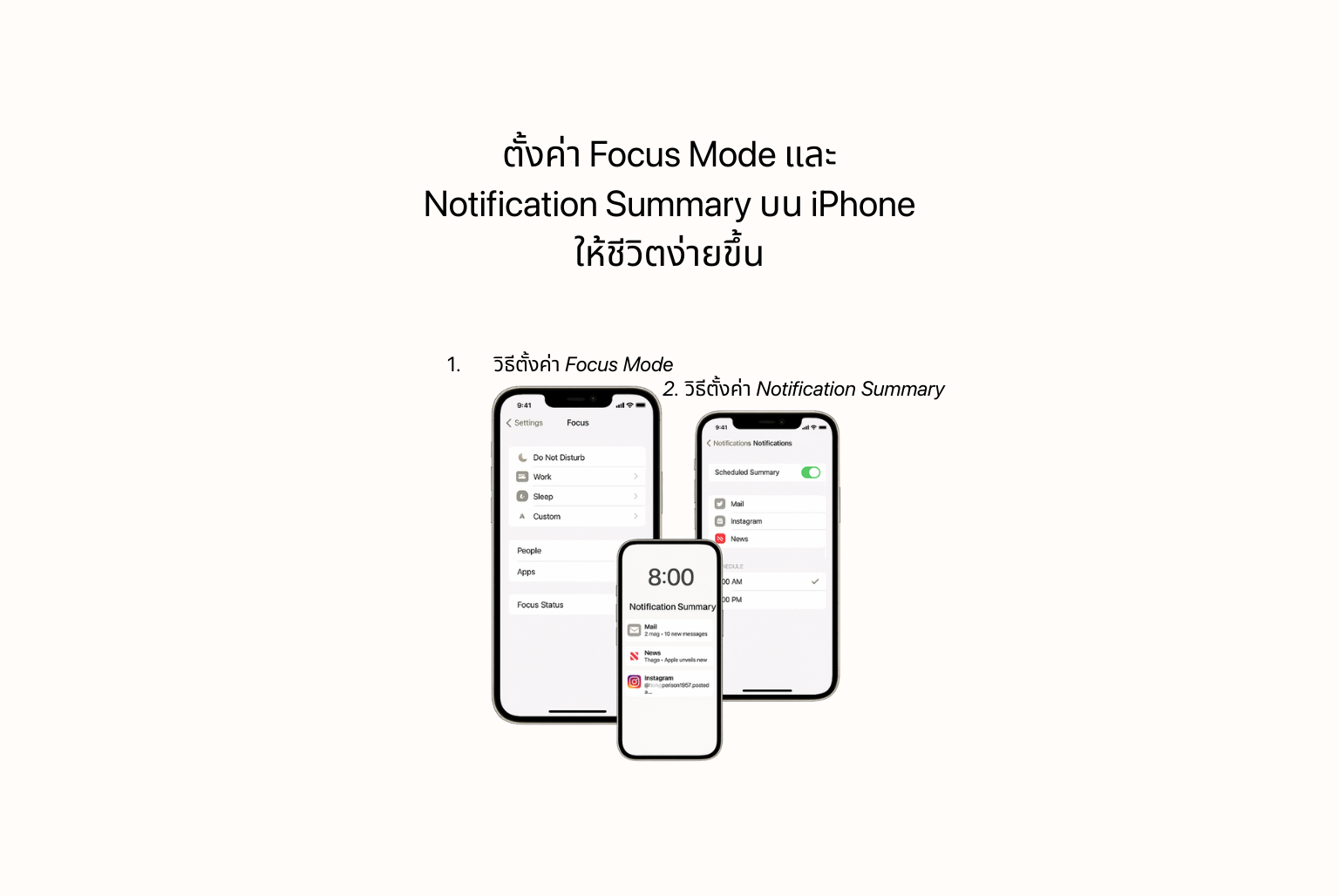
Focus Mode helps manage your notifications based on your current activity, such as working, relaxing, or driving.
Steps to set it up:
- Go to Settings > Focus
- Choose a preset mode (e.g., Do Not Disturb, Work, Sleep) or create your own
- Select People and Apps allowed to send notifications
- Set schedules or locations for automatic activation
- Enable Focus Status to let others know you're minimizing distractions
🕒 2. How to Set Up Notification Summary
Notification Summary groups non-urgent notifications and delivers them at a scheduled time — helping reduce constant interruptions.
Steps to set it up:
- Go to Settings > Notifications > Scheduled Summary
- Turn on Scheduled Summary
- Choose which apps to include in the summary
- Set specific times you want to receive the summary (e.g., 8:00 AM and 6:00 PM)
💡 Tips to Improve Your Day with These Features:
- Use the “Work” mode during office hours to only get alerts from Slack, Teams, or email apps
- Set a “Personal” mode after work hours to only receive notifications from family or close contacts
- Enable Notification Summary for news or shopping apps — no more unnecessary alerts all day long
 Facebook
 LINE
LINE