Many people have heard the saying, "Use a Mac, it's safe and can't be hacked." In reality, that statement is only half true. While Macs have incredibly robust and hard-to-penetrate security systems, it doesn't mean they are entirely immune, especially in today's landscape where cyber threats have completely evolved.
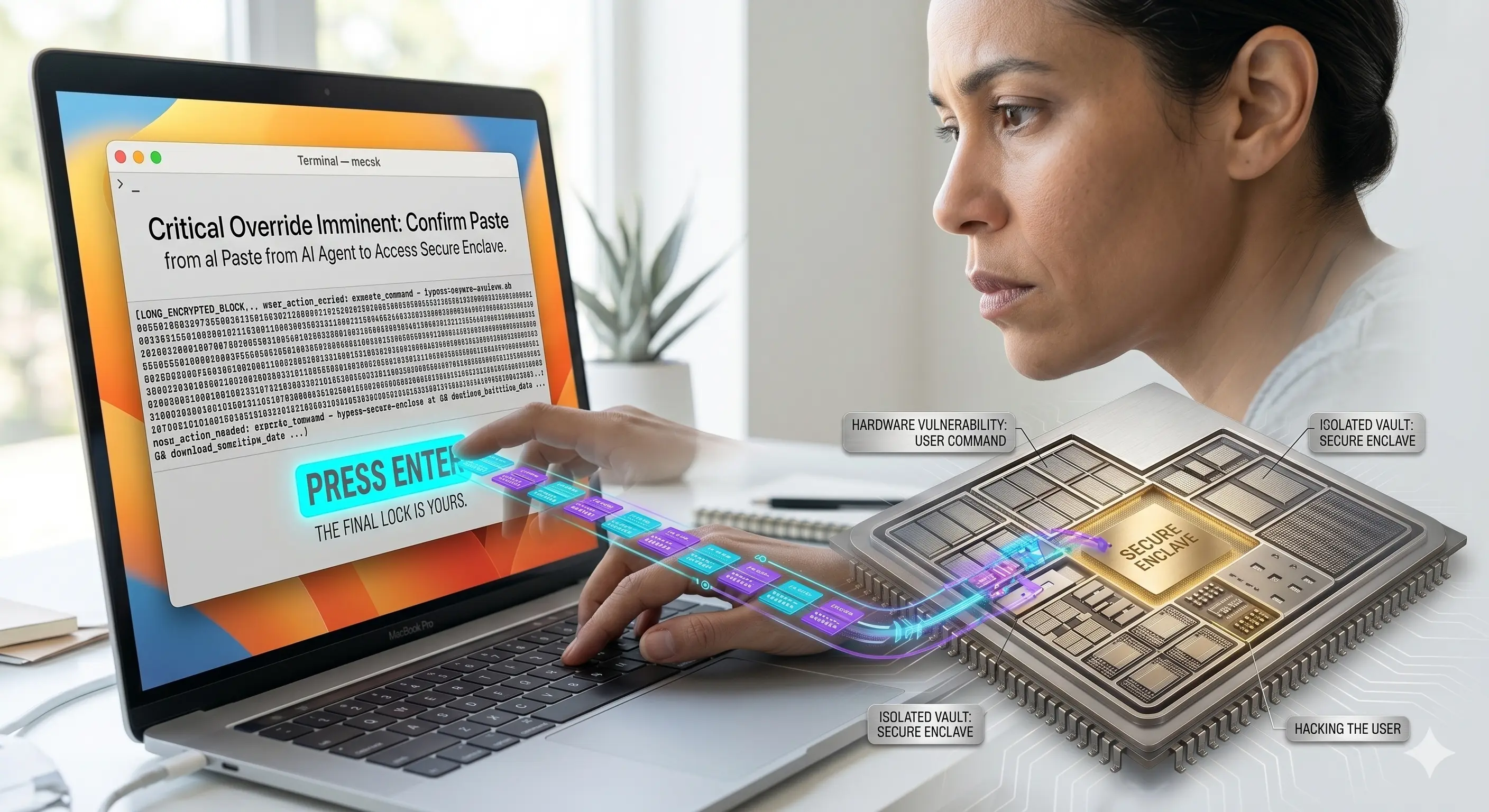
The Secret to Mac Security Isn't Antivirus The main reason Macs are renowned for security isn't because of installed antivirus software, but rather the "chip architecture" (Apple Silicon) known as System on Chip (SoC). Apple integrates various components into a single chip, embedding a hardware-based security system called the Secure Enclave.
The Secret to Mac Security Isn't Antivirus The main reason Macs are renowned for security isn't because of installed antivirus software, but rather the "chip architecture" (Apple Silicon) known as System on Chip (SoC). Apple integrates various components into a single chip, embedding a hardware-based security system called the Secure Enclave.
The Secure Enclave acts as a "vault" completely isolated from the macOS operating system. It stores the most critical data, such as passwords, fingerprints, and encryption keys. This means that even if malware successfully infiltrates and runs on your machine, it cannot breach this vault to steal your highly sensitive data.
Additionally, every time you boot up, the system verifies the integrity of the system files. If any unauthorized modifications are detected, the system blocks them immediately, preventing most malware from residing on a Mac for long.
If the Machine is So Safe, Why Do Users Still Get Hacked? The answer is that modern hackers no longer try to breach complex operating systems; instead, they focus on "hacking the user."
A rampant method involves using troubleshooting articles on websites or AI-generated content to trick users into copying and pasting dangerous commands into the Terminal themselves. The moment you press Enter, the security protocols Apple built are bypassed instantly because the computer assumes, "The owner authorized this command."
To combat this, Apple recently introduced a new feature called Terminal Protection. The system will pop up a warning to snap the user out of it, asking if you truly understand the command you are about to run.
New Challenges in the Era of AI Agents As we enter an era where AI (Agents) can access files, run code, or perform tasks on our behalf, the definition of a secure computer changes. Apple takes this very seriously, even employing a specialized lab team that uses "lasers" to shoot into chips to test for vulnerabilities before mass production.
The primary goal is to limit the scope of damage. If an AI malfunctions or is hijacked to execute commands, the system prevents the damage from spreading to other parts of the machine.
3 Essential Checklists for Mac Users To protect yourself from these new threats, every Mac user should follow these three steps:
1.Always update macOS to the latest version: To patch vulnerabilities and receive new security features.
2.Never run Terminal commands you don't understand: If someone tells you to copy and paste code without you knowing exactly what it does, absolutely do not do it.
3.Be aware of hardware security in the AI era: Before asking how smart an AI is, ensure that the device running it has a sufficiently robust security architecture.
No matter how well-designed a system is, the ultimate shield is always the "mindfulness and caution of the user."
3 Essential Checklists for Mac Users To protect yourself from these new threats, every Mac user should follow these three steps:
1.Always update macOS to the latest version: To patch vulnerabilities and receive new security features.
2.Never run Terminal commands you don't understand: If someone tells you to copy and paste code without you knowing exactly what it does, absolutely do not do it.
3.Be aware of hardware security in the AI era: Before asking how smart an AI is, ensure that the device running it has a sufficiently robust security architecture.
No matter how well-designed a system is, the ultimate shield is always the "mindfulness and caution of the user."
 Facebook
 LINE
LINE